Why Website Speed Matters More Than Ever in 2026
A slow website costs you customers. We break down why Core Web Vitals, page load times, and perceived performance directly impact your search rankings and conversion rates.

If your website takes more than three seconds to load, you’ve already lost nearly half your visitors. That’s not an opinion — it’s backed by data from Google, Amazon, and every major study on web performance published in the last five years.
Speed isn’t just a nice-to-have. It’s the foundation everything else depends on: your SEO rankings, your conversion rates, and your customer’s first impression of your business.
What’s actually happening when your site loads slowly
When someone clicks a link to your website, their browser has to download HTML, CSS, JavaScript, fonts, and images. If any of those files are bloated, poorly optimised, or loaded in the wrong order, the user stares at a blank screen.
On mobile — where most of your traffic comes from — the problem compounds. Slower processors, weaker network connections, and smaller caches all make performance issues hit harder.
The result: people leave before they ever see your content.
Core Web Vitals: Google’s performance scorecard
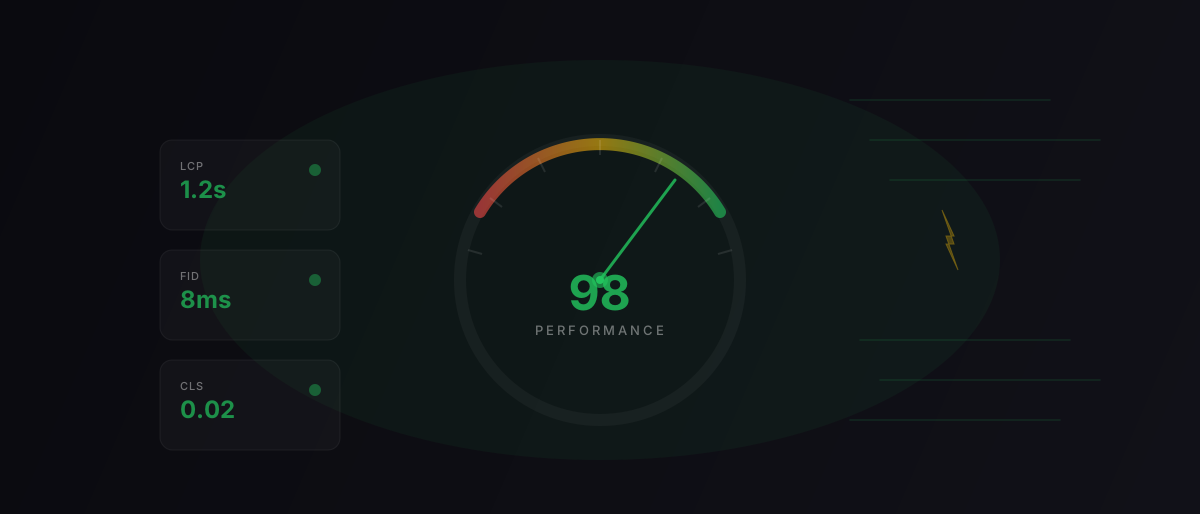
Google uses three specific metrics to judge your site’s performance:
- Largest Contentful Paint (LCP) — How quickly the main content appears. Target: under 2.5 seconds.
- Interaction to Next Paint (INP) — How fast your site responds when someone clicks or taps. Target: under 200 milliseconds.
- Cumulative Layout Shift (CLS) — How much the page jumps around as it loads. Target: under 0.1.
These aren’t abstract scores. They directly affect where your site appears in search results. If two pages have similar content but one loads faster and feels smoother, Google will rank the faster page higher. This technical optimization is a core pillar of our SEO and digital marketing services. For a deeper dive into content search rankings, read our guide to small business SEO.
Speed and conversion: the numbers
The relationship between speed and money is well documented:
- Every 100ms reduction in load time increases conversion rates by roughly 1% (Deloitte/Google research)
- 53% of mobile users abandon a page that takes longer than 3 seconds to load
- A 1-second delay in page response can reduce customer satisfaction by 16%
For a local business in Devon getting 500 visits a month, improving load time from 4 seconds to 1.5 seconds could mean the difference between 5 and 15 enquiries. That’s not theoretical — we’ve seen it happen when migrating sluggish WordPress sites over to our hyper-fast bespoke web platform builds.
What makes websites slow
Most performance problems come from a handful of common issues:
Unoptimised images
Images are often the heaviest assets on a page. A single uncompressed hero image can weigh 3-5MB. Convert to modern formats like AVIF or WebP, serve responsive sizes, and lazy-load anything below the fold.
Too much JavaScript
Page builders, analytics scripts, chat widgets, cookie banners — each one adds JavaScript that the browser has to download, parse, and execute. We’ve seen WordPress sites loading 2MB+ of JavaScript before the page even renders.
No caching strategy
Without proper cache headers, browsers re-download the same files on every visit. A good caching strategy means returning visitors get near-instant page loads.
Slow hosting
Cheap shared hosting puts your site on a server with hundreds of other websites, all competing for the same CPU and memory. Edge hosting — where your site is served from the nearest data centre to each visitor — is a different world.
What fast actually looks like
We build every site to score 100/100 on Google Lighthouse. Here’s what that means in practice:
- Static-first architecture — HTML is pre-built at deploy time, not generated on every request
- Edge delivery — Content served from the nearest global CDN node
- Modern image formats — AVIF and WebP with automatic responsive sizing
- Minimal JavaScript — Only what’s needed, loaded only when needed
- Zero render-blocking resources — Critical CSS inlined, everything else deferred
The result is a site that loads in under a second on most connections. Not because we’ve cut corners on design, but because the engineering is right.
What to do about your existing site
If your current website feels sluggish, start by measuring it:
- Run PageSpeed Insights on your homepage and key landing pages
- Check your Core Web Vitals in Google Search Console
- Look at your server response time (TTFB) — anything over 600ms is a problem
If the scores are poor, the fix might be as simple as optimising images and removing unused plugins. But if the underlying architecture is the problem — a heavy CMS, bloated theme, cheap hosting — no amount of tweaking will get you where you need to be.
Sometimes, a clean rebuild on a modern stack is the most cost-effective path to performance. Learn more about how we build high-performance websites.
The bottom line
Your website’s speed is not a technical detail — it’s a business metric. It affects how people perceive your brand, whether they stay or leave, and whether Google shows your site to anyone at all.
If you’re thinking about a new site and want to understand what goes into choosing the right web designer, we’ve written a practical guide for that too.
If you’re not sure where your site stands, get in touch. We’ll run a free performance audit and show you exactly what’s happening under the hood.